NEP Service Operations Center 24/7: +31 35 671 46 55
NEP Service Operations Center 24/7: +31 35 671 46 55
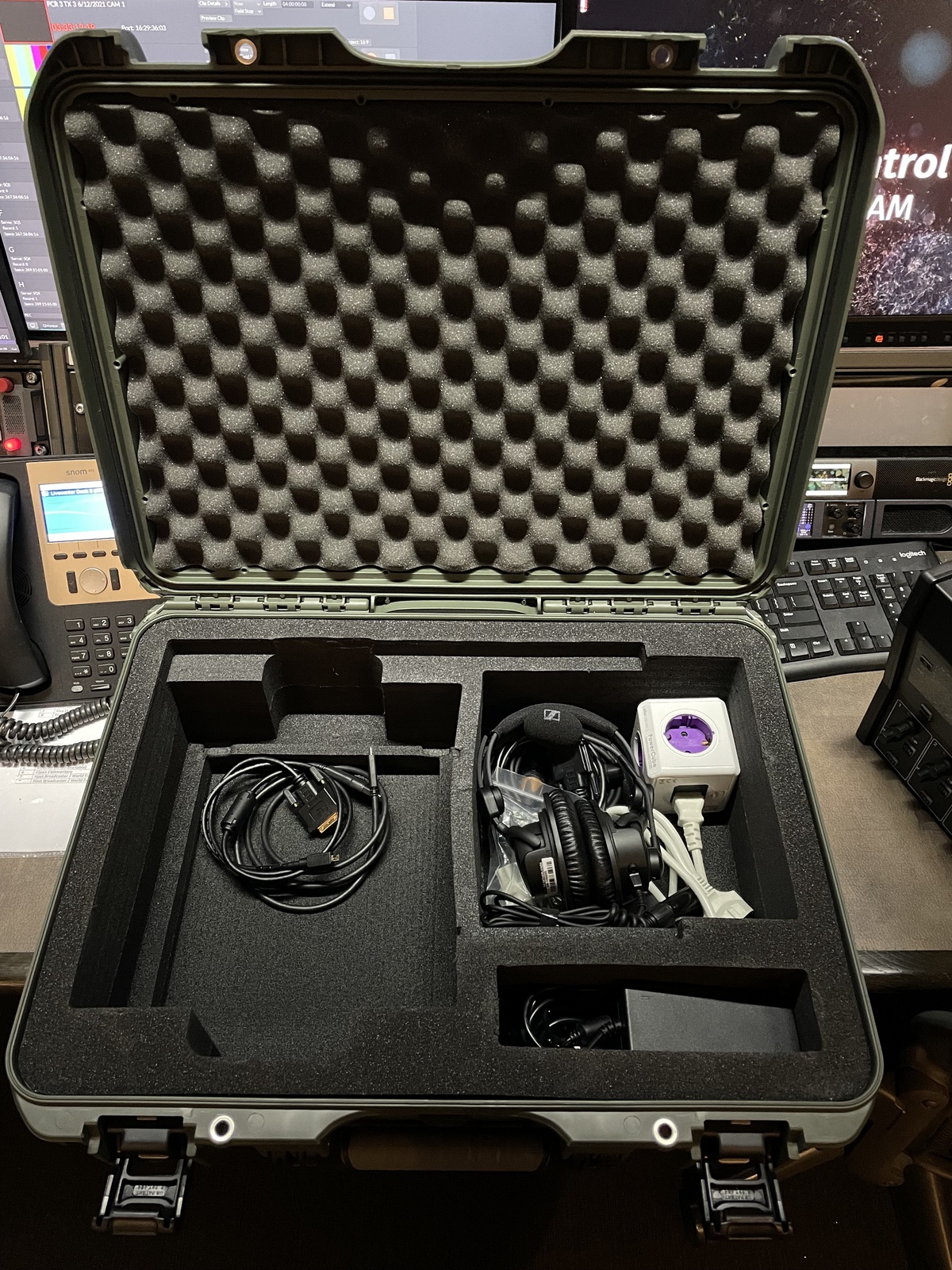
1. Roll the following cables and put them in the left compartment of the case:
- USB charger cable for your monitor
- DVI – HDMI video cable for your monitor
2. Put the following equipment in the upper right compartment of the case:
- Headset
- Power brick and power cables
- XLR microphone cable and ethernet cable
3. Place the following parts in the small compartment:
- CMU power supply and cable
- 4G antennas
1/4
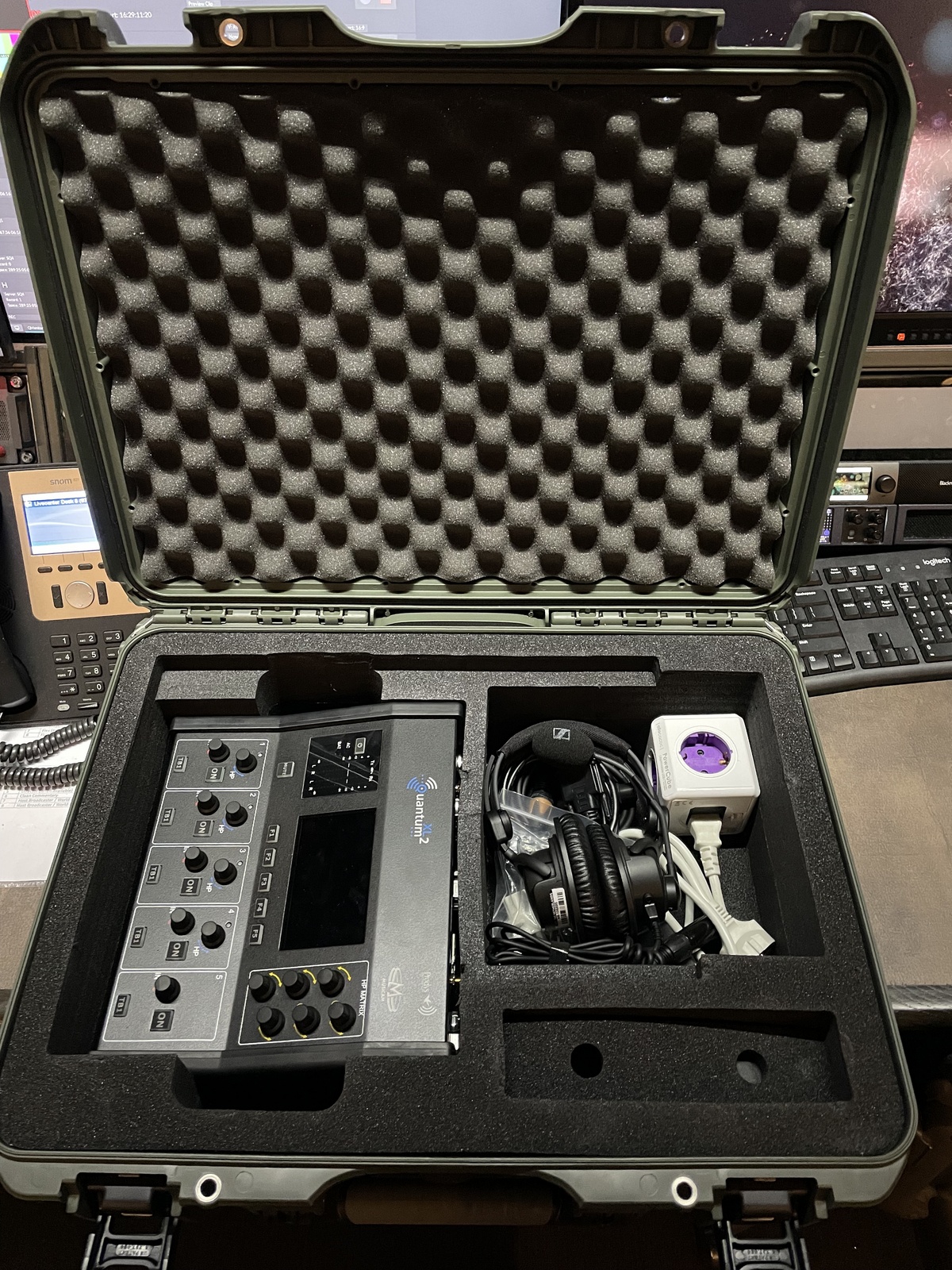
4. Place the main commentary unit in the big compartment on the left, with the front facing left, like shown on the image above.
5. Put the foam cut
outs on top of the small and big compartments on the right
2/4
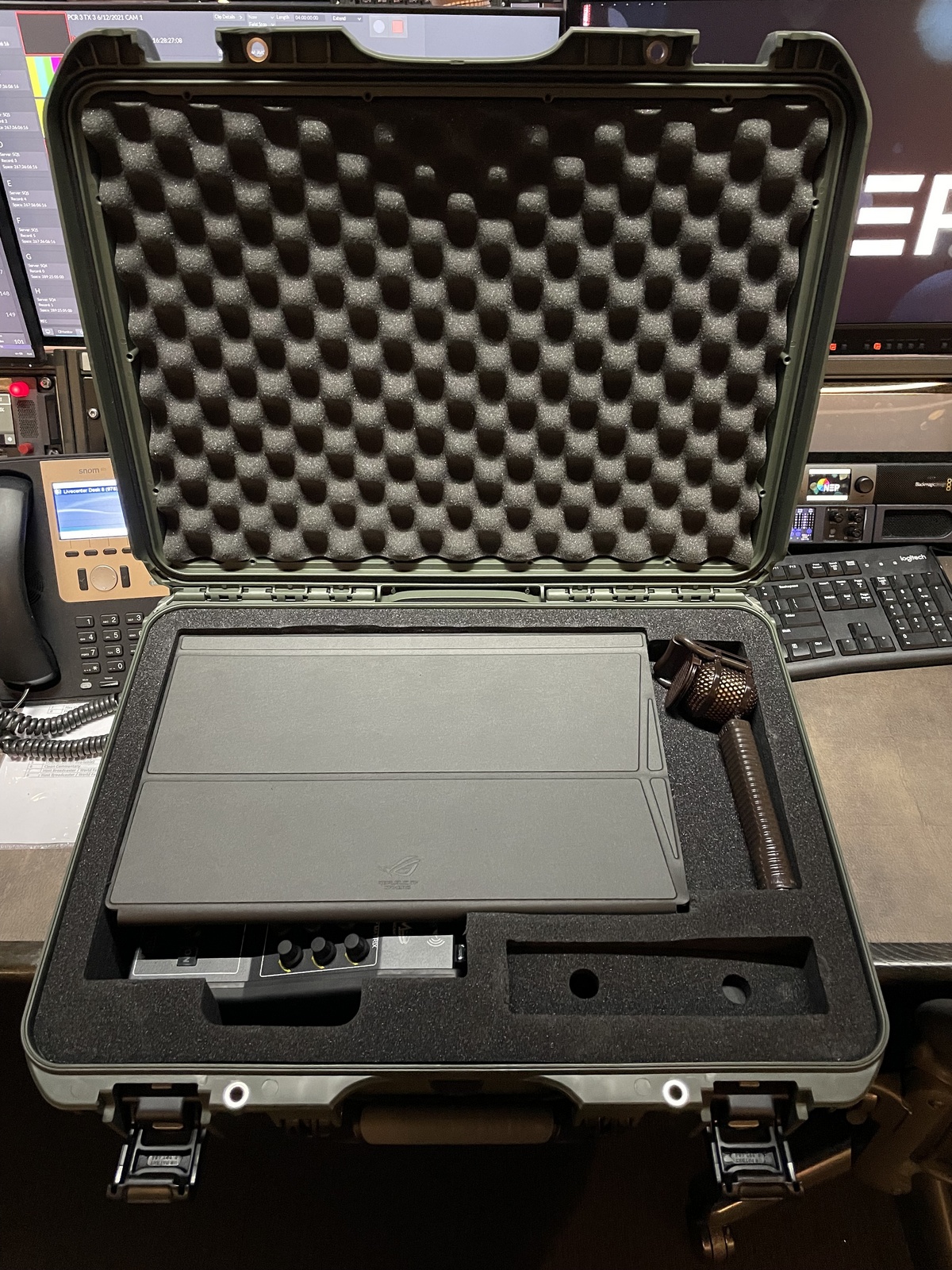
6. Place the monitor with the screen cover facing up! Make sure it securely fits in.
7. If you where provided with a Lipmic place it on the right of the screen.
3/4